
ISBN:
9780443433757
Copyright:
2026
Publication Date:
01-01-2026
Page Count:
448
Imprint:
Elsevier
List Price:
$124.99

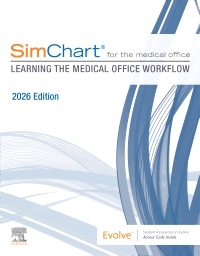
SimChart for the Medical Office: Learning the Medical Office Workflow - 2026 Edition - Elsevier eBook on VitalSource, 1st Edition
by Elsevier Inc
Elsevier eBook on VitalSource
ISBN:
9780443433757
Copyright:
2026
Publication Date:
01-01-2026
Page Count:
448
Imprint:
Elsevier
List Price:
$124.99
Was
$124.99
Now $118.74
Or $0.00 with a valid access code
Get a hands-on introduction to the medical office electronic health record! SimChart for the Medical Office: Learning the Medical Office Workflow, 2026 Edition, uses a guided approach with full access to SimChart® for the Medical Office (SCMO), Elsevier’s educational simulated electronic health record (EHR), plus clear, step-by-step instructions for a variety of medical assisting simulations. With SCMO access included with purchase, you will become acclimated to these simulations by completing more than 50 hours of practice tasks that address essential ABHES and CAAHEP Medical Assisting educational competencies. Screenshots and best practices make it easier for you to work through SimChart for the Medical Office tasks and assignments so you can master essential documentation skills to prepare for externship and practice.
Newer Edition Available

-
- Intuitive and realistic EHR developed for education creates a safe environment to learn documentation skills and practice-readiness
- 110 interactive assignments, tied to 220 ABHES and CAAHEP competencies, provide more than 50 hours of documentation practice within the simulation
- Step-by-step instructions and accompanying SCMO screenshots help you break down common tasks and learn to work accurately and efficiently
- Hands-on practice exercises include front office tasks, clinical documentation skills, and financial management for Medical Assisting, Medical Office, and Medical Billing & Coding
- Discrete tasks simulate actual Medical Assisting administrative duties, such as managing patient scheduling in a multi-doctor practice, documenting a variety of services, processing insurance claims, posting payments, and much more
- Simulation Playground supplements the prebuilt assignments to give you virtually unlimited practice
- Post-case quizzes with auto-grading feature assesses your understanding of MA competencies and standards
- Accreditation competency mapping to CAHIIM (Commission on Accreditation for Health Informatics and Information Management Education) meets the needs of HIM/HIT programs
-
Unit 1 Navigating SimChart for the Medical Office
Unit 2 Front Office
Unit 3 Clinical Care
Unit 4 Coding & Billing
Appendix Showcasing Experience and Portfolio Tips
Glossary
Assignment List -
-
Ways of Reading
- The appearance of the text and page layout can be modified according to the capabilities of the reading system (font family and font size, spaces between paragraphs, sentences, words, and letters, as well as color of background and text)
- This e-publication is accessible to the full extent that the file format and types of content allow, on a specific reading device, by default, without necessarily including any additions such as textual descriptions of images or enhanced navigation
- No information about nonvisual reading is available
-
Conformance
- No information is available
-
Navigation
- Table of contents to all chapters of the text via links
- Page list to go to pages from the print source version
-
Rich Content
- No information is available
-
Hazards
- No information is available
-
Product Content
- No information is available
-
Legal Considerations
- No information is available
-
Additional Accessibility Information
- Content is enhanced with ARIA roles to optimize organization and facilitate navigation
- Page breaks included from the original print source
- For readers with color vision deficiency, use of color (e.g., in diagrams, graphics and charts, in prompts, or on buttons inviting a response) is not the sole means of graphical distinction or of conveying information
- E-publication includes basic navigation (usually less detailed than TOC-based navigation)
- Where links, controls or buttons are included in the content, the purpose or functionality of each link, control or button is apparent from the associated text alone - or where it is unclear, separate link, control or button descriptions are provided
- All (or substantially all) textual matter is arranged in a single logical reading order (including text that is visually presented as separate from the main text flow, e.g., in boxouts, captions, tables, footnotes, endnotes, citations, etc.). Non-textual content is also linked from within this logical reading order. (Purely decorative non-text content can be ignored).
- The language of the text has been specified (e.g., via the HTML or XML lang attribute) to optimise text-to-speech (and other alternative renderings), both at the whole document level and, where appropriate, for individual words, phrases or passages in a different language.
-
Ways of Reading
Was
$124.99
Now $118.74
Or $0.00 with a valid access code

 as described in our