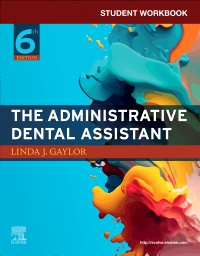

Student Workbook for The Administrative Dental Assistant - Elsevier eBook on VitalSource, 6th Edition
Elsevier eBook on VitalSource
Enhance student learning with a wealth of interactive exercises for practice, reinforcement, and recall! An indispensable companion to the textbook, the Student Workbook for The Administrative Dental Assistant, 6th Edition combines the key objectives and content of the book with challenging exercises — putting the information students need into a practical context. Separated by chapter for easy correlation to the text, the workbook contains chapter summaries; learning objectives; short-answer, matching, multiple-choice, and/or fill-in-the-blank questions; case scenarios followed by critical thinking questions; and fun puzzles to reinforce key terminology. Original exercises correlating to the newest version of Dentrix Learning Edition help students learn to use practice management software and prepare for their career. New content includes navigating dental office technology, communication and social media, and more.
-
- NEW! Content addresses managing a dental office during national and worldwide public health emergencies, such as the COVID-19 pandemic, and includes updated information on digital office systems
- NEW! Enhanced coverage of bookkeeping and financial problem-solving skills is added
- NEW! Additional practice management exercises work in conjunction with the newest version of Dentrix Learning Edition based on Dentrix G7.3 to help students experience what it is like to work with dental practice management software
-
- NEW! Content addresses managing a dental office during national and worldwide public health emergencies, such as the COVID-19 pandemic, and includes updated information on digital office systems
- NEW! Enhanced coverage of bookkeeping and financial problem-solving skills is added
- NEW! Additional practice management exercises work in conjunction with the newest version of Dentrix Learning Edition based on Dentrix G7.3 to help students experience what it is like to work with dental practice management software
- Case studies provide patient information that students will use to create electronic health records so they can practice what they have learned. Exercises are flexible and can be completed with Dentrix Learning Edition, adapted to be used with most practice management software, or completed using the patient paperwork provided
- Correlation with the textbook enables students to follow along at every step to ensure their comprehension before moving forward
- Review questions, exercises, and puzzles reinforce learning and offer students a myriad of opportunities for self-assessment
-
-
 The Administrative Dental Assistant - Elsevier eBook on VitalSourceElsevier eBook on VitalSource
 -
 The Administrative Dental AssistantPaperback
 -

-
-
Part One Introduction to the Dental Profession
1. Orientation to the Dental Profession
2. Dental Basics
Part Two Communication Skills: Principles and Practices
3. Communication Skills and Tools
4. Written Correspondence and Electronic Communication
5. Patient Relations
6. Dental Healthcare Team Communications
Part Three Managing Dental Office Systems
7. Computerized Dental Practice
8. Patient Clinical Records
9. Information Management and Security
10. Dental Patient Scheduling
11. Continuing Care Program (Recall or Re-Care Systems)
12. Inventory Management
13. Office Equipment
Part Four Managing Dental Office Finances
14. Financial Arrangement and Collection Procedures
15. Dental Benefit Plan Processing
16. Bookkeeping Procedures: Accounts Payable
17. Bookkeeping Procedures: Accounts Receivable
Part Five Managing Your Career
18. Employment Strategies -
-
Ways of Reading
- The appearance of the text and page layout can be modified according to the capabilities of the reading system (font family and font size, spaces between paragraphs, sentences, words, and letters, as well as color of background and text)
- This e-publication is accessible to the full extent that the file format and types of content allow, on a specific reading device, by default, without necessarily including any additions such as textual descriptions of images or enhanced navigation
- All content can be read as read aloud speech or dynamic braille
- Has alternative text descriptions for images
-
Conformance
- The publication contains a conformance statement that it meets the EPUB Accessibility 1.1, WCAG 2.1, Level AA standard. Please see https://bornaccessible.benetech.org/certified-publishers/ for further details of our compatibility testing.
- The certifier's credential is https://bornaccessible.benetech.org/certified-publishers/
- For detailed accessibility information, see Elsevier's website at https://www.elsevier.com/about/accessibility
- For queries regarding accessibility information, contact [email protected]
- The publication was certified on 17-02-2026
-
Navigation
- Table of contents to all chapters of the text via links
- Elements such as headings, tables, etc. for structured navigation
- Page list to go to pages from the print source version
-
Rich Content
- Information-rich images are described by extended descriptions
-
Hazards
- The publication contains no hazards
-
Product Content
- The primary content is text.
- Content includes a significant number of actionable (clickable) web links to external content, downloadable resources, supplementary material, etc.
- Content includes a significant number of actionable (clickable) cross-references, hyperlinked notes and annotations, or with other actionable links between largely textual elements (e.g., quiz/test questions, 'choose your own ending', etc.).
- Content includes figures, diagrams, charts and/or graphs, including other 'mechanical' (i.e. non-photographic) illustrations.
- Content includes text within images, including text-as-text embedded in diagrams, charts, or within images containing speech balloons, thought bubbles, captions, etc.
- At least some text - including text within other images - is 'text as an image' (i.e., a picture of text).
-
Legal Considerations
- No information is available
-
Additional Accessibility Information
- Content is enhanced with ARIA roles to optimize organization and facilitate navigation
- Page breaks included from the original print source
- For readers with color vision deficiency, use of color (e.g., in diagrams, graphics and charts, in prompts, or on buttons inviting a response) is not the sole means of graphical distinction or of conveying information
- The body text is presented with a contrast ratio of at least 4.5:1 (or 3:1 for large/heading text)
- Ultra-high contrast between text and background
- E-publication includes basic navigation (usually less detailed than TOC-based navigation)
- Where links, controls or buttons are included in the content, the purpose or functionality of each link, control or button is apparent from the associated text alone - or where it is unclear, separate link, control or button descriptions are provided
- All (or substantially all) textual matter is arranged in a single logical reading order (including text that is visually presented as separate from the main text flow, e.g., in boxouts, captions, tables, footnotes, endnotes, citations, etc.). Non-textual content is also linked from within this logical reading order. (Purely decorative non-text content can be ignored).
- Content provides explanations for unusual words, abbreviations, acronyms, idioms, jargon in an accessible form, such as glossaries, scripted pop-ups.
- Where interactive content is included in the product, controls are provided (e.g., for speed, pause and resume, reset) and labelled to make their use clear.
- The language of the text has been specified (e.g., via the HTML or XML lang attribute) to optimise text-to-speech (and other alternative renderings), both at the whole document level and, where appropriate, for individual words, phrases or passages in a different language.
-
Ways of Reading

 as described in our